A Food Label Maker alternative: Nutrillius vs Food Label Maker, honestly
Food Label Maker is a strong, established tool — its edge is multi-country compliance. Here's a straight comparison, including where it's the better buy, so you can decide in five minutes. (Disclosure: Nutrillius is our product; Food Label Maker details are from its public pages as of July 2026 — verify current pricing and features on foodlabelmaker.com.)
key takeaways
- Pick Food Label Maker if you sell internationally: it does FDA, Canadian (CFIA), EU, UK, Australia/NZ, Mexico and GCC labels. Nutrillius is US FDA only today.
- Pick Nutrillius for US labels done fast and cheap: free unlimited building, $39 one-time labels, AI import (type / paste / photo) and vector SVG export.
- Food Label Maker is subscription-only (from $49/mo, $299/yr) with no one-time option and no permanent free tier; Nutrillius is free to build and pay-per-download.
- At constant monthly volume, Food Label Maker’s $49/mo can undercut Nutrillius’s $69/mo on price — decide on markets and workflow, not a few dollars.
- Both generate the FDA 21 CFR 101.9 format; the final label’s accuracy depends on your inputs with either tool.
on this page +−
TL;DR
- Pick Food Label Maker if you sell in more than one country — its seven-market compliance (FDA, CFIA, EU, UK, FSANZ, Mexico, GCC) is the real differentiator.
- Pick Nutrillius if you sell in the US and want the fastest recipe → compliant label path (AI import), free unlimited building, one-time pricing and vector SVG export.
Side-by-side
| Nutrillius | Food Label Maker | |
|---|---|---|
| Label building | AI (type / paste / photo a recipe) + manual editor | Recipe builder — search & add ingredients, waste % |
| Free tier | Unlimited building & preview, no account required | Free trial only (no permanent free tier) |
| Single label | $39 one-time (all formats, 90 days of edits) | No one-time option — subscription only |
| Subscription | $69/mo — unlimited labels, 25 saved products | $49/mo Essential ($299/yr), Pro $99, Business $199 — unlimited recipes, 1 user |
| Markets covered | US FDA (Canada on roadmap) | 7 markets: FDA, CFIA, UK FSA, EU DG SANTE, FSANZ, Mexico COFEPRIS, GCC GSO |
| US FDA formats | Vertical, tabular, linear + Supplement Facts (beta) | Vertical, tabular, simplified, dual-column |
| Ingredient database | 7,700+ USDA FoodData Central | 500,000+ (vendor-claimed; some reviews note gaps) |
| Ingredient statement & allergens | Auto-generated, editable (FDA Big-9) | Auto-generated, multi-region allergens |
| Recipe costing | Yes (batch, per-unit & margin) | Yes (cost + price / margin) |
| AI photo / paste import | Yes | No (AI-assisted analysis, not photo import) |
| Barcodes | UPC-A & EAN-13 (free) | Not documented |
| Exports | PNG, PDF, vector SVG + spec sheet | Print-ready PNG / PDF |
(Food Label Maker details from its public pages as of July 2026 — verify current pricing and features on foodlabelmaker.com.)
The real divider: how many countries you sell in
Almost every other difference is secondary to this one. Food Label Maker’s core pitch is global compliance— one recipe, then a compliant label for the US, Canada, the EU, the UK, Australia/New Zealand, Mexico or the GCC. If you export, or plan to, that breadth is hard to beat and it’s the honest reason to pick it. Nutrillius is deliberately US-first: it does one market, but pairs it with AI import, free building and design tooling. If every label you print is a US FDA panel, the multi-country engine is capability you’re paying for and not using.
The workflow difference: AI import vs recipe builder
Both start from a recipe, but the first five minutes differ. Food Label Maker uses a classic recipe builder — search an ingredient, add it, set the amount and a waste percentage, repeat — which is precise and good for yield accuracy. Nutrillius lets you paste the whole recipe (or a note from your phone, a spreadsheet, or a photo of an existing label) and the AI builds the ingredient rows for you to fine-tune. For a 12-ingredient granola that’s the difference between minutes of setup and seconds — but if you want to enter exact waste percentages line by line, the builder approach has its merits.
Pricing, modeled on a real product line
Five US products, a few revisions each over a year:
- Nutrillius: five one-time labels ≈ $195total (free rebuilding while you iterate), or $69/mo if you’re shipping labels constantly.
- Food Label Maker: no one-time option, so you subscribe — $299/yearon the annual Essential plan (or $49/mo). For a one-and-done US label that’s a lot; for a growing multi-country line it’s reasonable.
The pattern: for occasional US labels, Nutrillius’s free building plus one-time pricing is markedly cheaper. For constant, multi-market output, Food Label Maker’s flat subscription is competitive and buys you countries Nutrillius doesn’t cover.
Where Food Label Maker wins (credit where due)
- Multi-country compliance: seven markets from one recipe — the standout feature, and the reason to choose it if you export.
- Ingredient breadth: a very large vendor-maintained database (though some reviews note occasional gaps).
- Yield precision: waste-percentage entry in the recipe builder for accurate as-served nutrition.
Where Nutrillius wins
- Free to build, pay to download: test it on your real recipe with no account and no subscription. Food Label Maker requires a paid plan to keep working.
- One-time pricing: $39 for a single label with 90 days of edits — no monthly commitment for occasional makers.
- Speed to first label: AI import from typed, pasted or photographed recipes.
- Design & export: vector SVG export for print shops, included on every purchase.
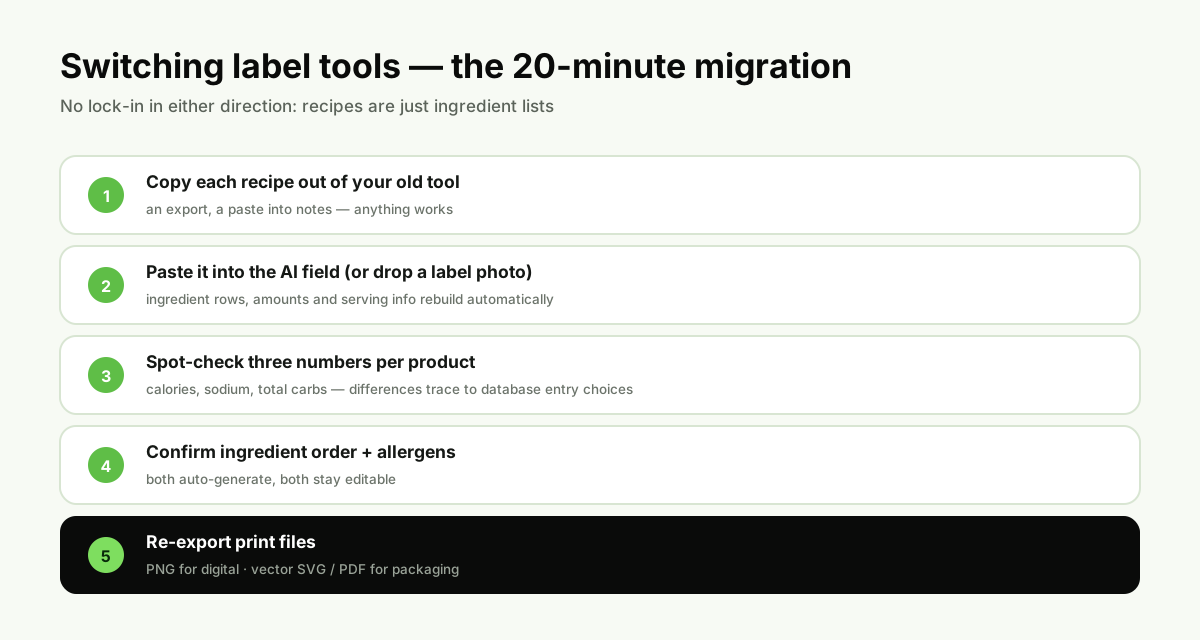
Switching to Nutrillius: a 20-minute checklist
Your recipes are just ingredient lists — there’s no lock-in either way. The clean way to migrate a US label:
- Copy each recipe out of Food Label Maker — pasting each ingredient list into a note is enough.
- Paste it into the Nutrillius AI field (or drop a photo of the existing label) — ingredient rows, amounts and serving info rebuild automatically.
- Spot-check three numbers per product— calories, sodium and total carbs. Small differences usually trace to a different database entry for one ingredient; pick the one that matches your supplier’s spec.
- Confirm the ingredient statement order and allergens — both auto-generate, both editable.
- Re-export your print files — PNG for digital, vector SVG / PDF for packaging.
nutrillius · free to build
Build your US label in Nutrillius — free
Paste your recipe (or a photo of your current label) and the AI rebuilds it as a compliant, print-ready FDA panel in minutes. No account needed to try it.
Try the Generator — Free →No account needed · PNG · PDF · SVG from $39
Frequently asked questions
Is Nutrillius cheaper than Food Label Maker?
For US labels, usually yes. Nutrillius is free to build and preview, with a $39 one-time option for a single label. Food Label Maker is subscription-only — there’s no one-time label and no permanent free tier (only a trial), and its cheapest plan is $49/month (or $299 billed yearly). If you make labels constantly, Food Label Maker’s $49/mo Essential actually undercuts the $69/mo Nutrillius plan on price alone — the difference is what you get for it (AI import, vector SVG on Nutrillius; multi-country compliance on Food Label Maker).
When is Food Label Maker genuinely the better choice?
When you sell outside the United States. Food Label Maker generates compliant labels for seven markets — FDA (US), CFIA (Canada), FSA (UK), DG SANTE (EU), FSANZ (Australia/New Zealand), COFEPRIS (Mexico) and GSO (GCC). Nutrillius is US FDA only today. If you need an EU or UK back-of-pack or a bilingual Canadian label, Food Label Maker does it and Nutrillius doesn’t yet.
Does Food Label Maker have a free version?
It offers a free trial, not a permanent free tier — you subscribe to keep using it. Nutrillius lets you build and preview any label for free, indefinitely, with no account; you only pay to download a finished label. If you want to test a tool on your actual recipe before paying, that’s the practical difference.
Are both tools' labels FDA compliant?
Both produce the 21 CFR 101.9 Nutrition Facts format with FDA rounding and the standard layouts (vertical, tabular, dual-column). With either tool, the final label’s accuracy depends on the ingredient data you enter — see our rounding rules guide for the exact math a generator has to implement.
Sources & references
Written from the primary regulation. We link the actual rule so you can verify every serving size, threshold and requirement at the source.
Keep reading
The 6 best nutrition label generators in 2026
The full field — ReciPal, MenuSano, RecipeCard.io and the free tools included.
Read →Nutrillius vs ReciPal
The other head-to-head — AI import vs a decade of ops tooling.
Read →Nutrillius vs MenuSano
Packaged-goods labels vs foodservice menu nutrition.
Read →How to make a nutrition facts label
The 8-step FDA process both tools automate.
Read →